Description
Open-source browser-based audio editor with waveform visualization, cut/copy/paste editing, and effects including normalize, fade in/out, reverse, and amplify. Processes audio entirely in your browser — no uploads to any server.
No-Login Task
"Edit audio files directly in your browser with waveform editing, effects, and export — no installation or account needed."
Tested
Reduce a test tone to half amplitude and export WAV
We loaded a synthetic tone, applied 50% gain, and checked the samples in the exported WAV file.
Test input
2-second 440 Hz sine wave; 44,100 Hz; mono; 16-bit PCM; peak sample 16,383.
- Use File → Load from Computer to open the WAV fixture.
- Open Effects → Gain, set Gain percentage to 50%, and apply it to the full two-second selection.
- Open File → Export / Download and choose WAV, 16-bit, Mono and Export whole file.
- Download the output and compare its duration, sample rate and peak amplitude with the input.
Observed result
The exported WAV remained 2 seconds long at 44,100 Hz, mono, 16-bit PCM. Its peak sample was 8,191 versus 16,383 in the original, approximately half amplitude. Loading, processing and export required no account.
Download the processed WAV test tone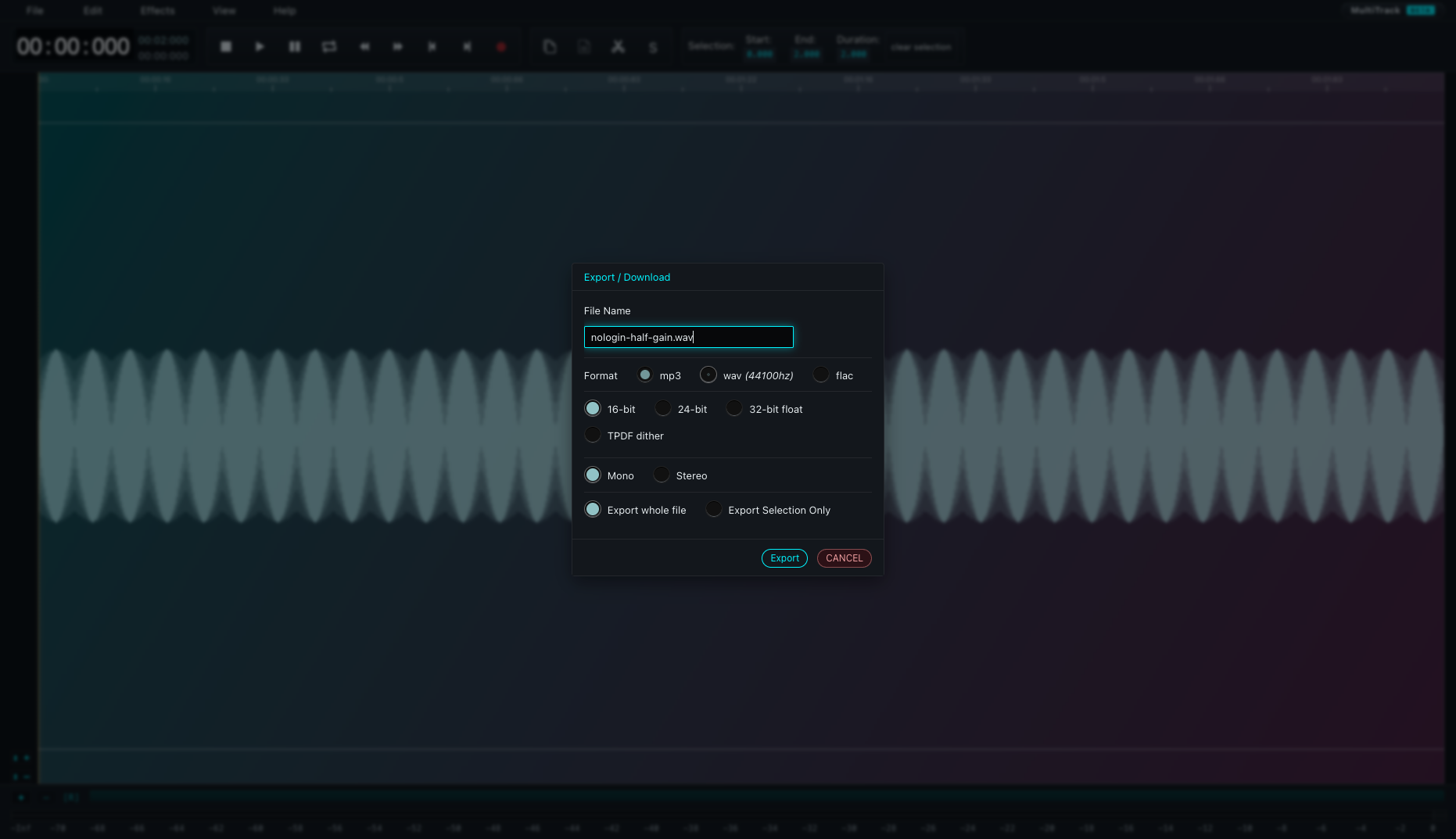
Limits: A synthetic sine wave checks gain and file integrity, not perceptual audio quality. Other effects, long recordings, multitrack editing and compressed exports were not tested.
Editorial Review & Verification
Hands-on VerifiedFull-featured, zero-install browser audio editor and digital audio workstation (DAW) for waveform editing.
+ Key Strengths (Pros)
- ✓ Multi-track audio waveform scrubbing with cut, copy, paste, fade, trim, and reverse
- ✓ Rich digital signal processing effects: graphic EQ, compressor, reverb, delay, distortion
- ✓ 100% client-side: loads fast and records microphone inputs directly into browser memory
− Limitations (Cons)
- − Lacks advanced MIDI sequencing and multi-instrument virtual instrument plugins
- − Browser memory limits prevent editing massive multi-gigabyte uncompressed master recordings
Catalog signals & Product Power & Utility Review
100% client-side audio workstation. All audio decoding, signal filtering, and MP3/WAV exporting happen within the browser Web Audio context without server uploads.
Loaded 4-minute stereo audio track: multi-channel waveform scrubbing, real-time equalizer and compressor effects applied locally in Web Audio API.
- ✓ Catalog classification: client-side processing
- ✓ Processing location does not establish retention or tracking behavior
- ✓ Offline support has not been recorded
- ✓ Catalog tag: No Trackers
- ✓ This tag does not represent a continuous traffic audit
- ✓ Third-party integrations can change between evaluations
- ✓ Publicly auditable code repository at https://github.com/pkalogiros/AudioMass
- ✓ Repository license metadata: NOASSERTION
- ✓ 3,042 GitHub community stars
- ✓ Latest HTTP response time (~227ms)
- ✓ Result comes from the latest recorded health check
- ✓ An HTTP response does not verify the complete user workflow
Verification Details
100% client-side audio workstation. All audio decoding, signal filtering, and MP3/WAV exporting happen within the browser Web Audio context without server uploads.
Tags
Health History


FAQ
- Does AudioMass require an account?
- No. AudioMass has been verified by nologin.tools to provide its core functionality — Edit audio files directly in your browser with waveform editing, effects, and export — no installation or account needed. — without requiring any login or signup.
- Is AudioMass free to use?
- AudioMass is listed on nologin.tools as a tool you can use without creating an account. Check the tool's own site for details on pricing or premium features.
Similar Tools
Free online file converter for images, video, and audio - works instantly with no account or login required.
A browser-based ASCII art generator and image converter that turns JPG, PNG, GIF, and WebP files into customizable character graphics with side-by-side comparison and high-resolution exports.