Description
Inspect browser fingerprint signals and look up IP address information without an account. Includes Canvas and JavaScript diagnostics alongside remote IP lookup services.
No-Login Task
"Inspect browser fingerprint signals and IP information"
Tested
Look up a public IP and export its report
BrowserLeaks exposes several different kinds of information. We tested its public IP lookup, then opened the Canvas and JavaScript reports to distinguish network lookup results from browser capability measurements.
Test input
1.1.1.1
- Enter 1.1.1.1 in the IP Address Lookup field and submit it.
- Inspect the hostname, network ASN and registry sections. The lookup result is also available at /ip/1.1.1.1.
- Use the camera icon beside the report heading to download the page as a PNG. Open the file and check both the text tables and the map.
Observed result
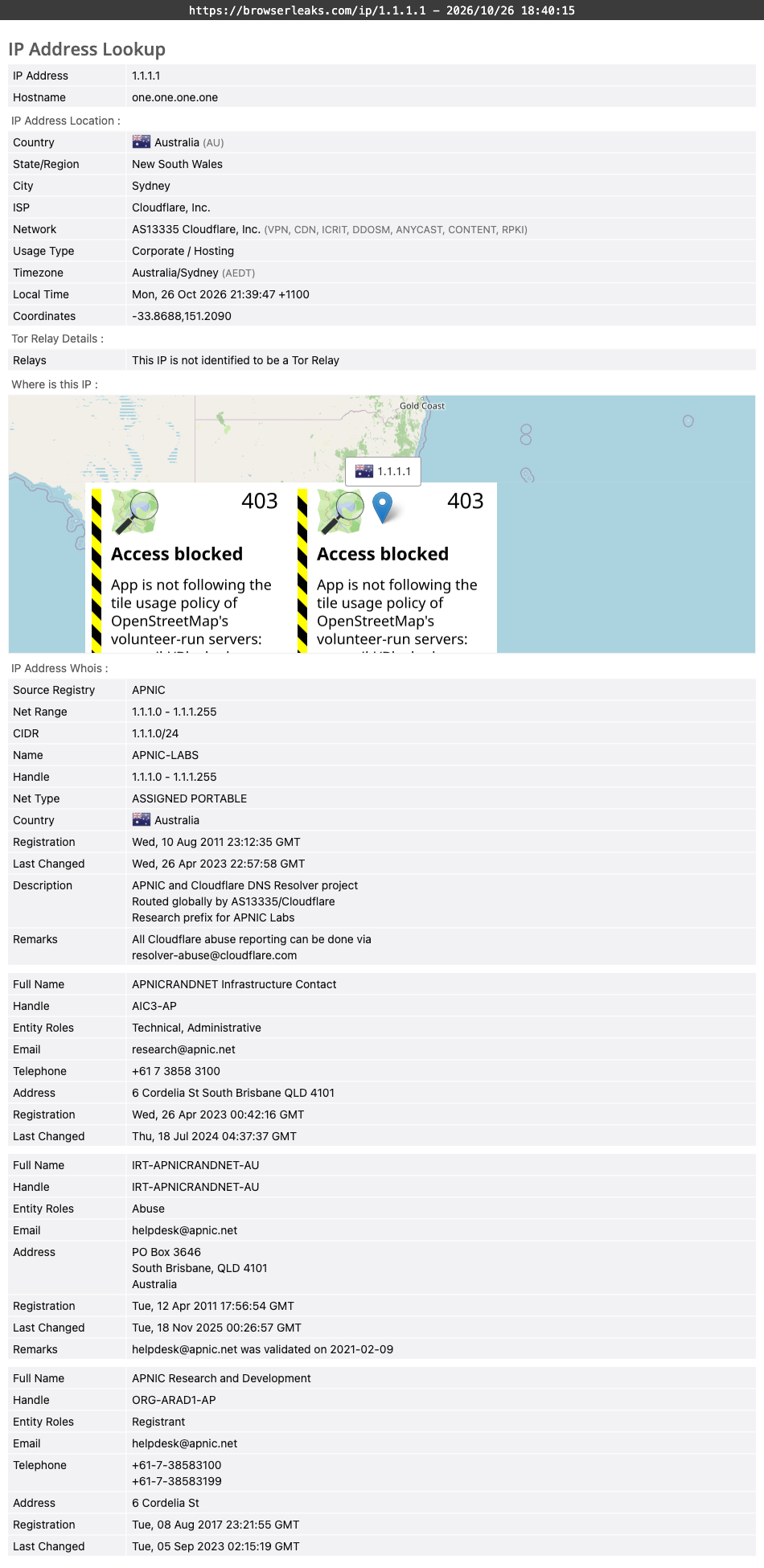
The report identified one.one.one.one and AS13335 / Cloudflare, with APNIC registry data. The exported PNG was 950×1950 pixels and preserved the text tables. Some external map tiles in the downloaded image showed 403 access-blocked panels, although the in-page map rendered normally.
Download the tested PNG report (includes blocked map tiles)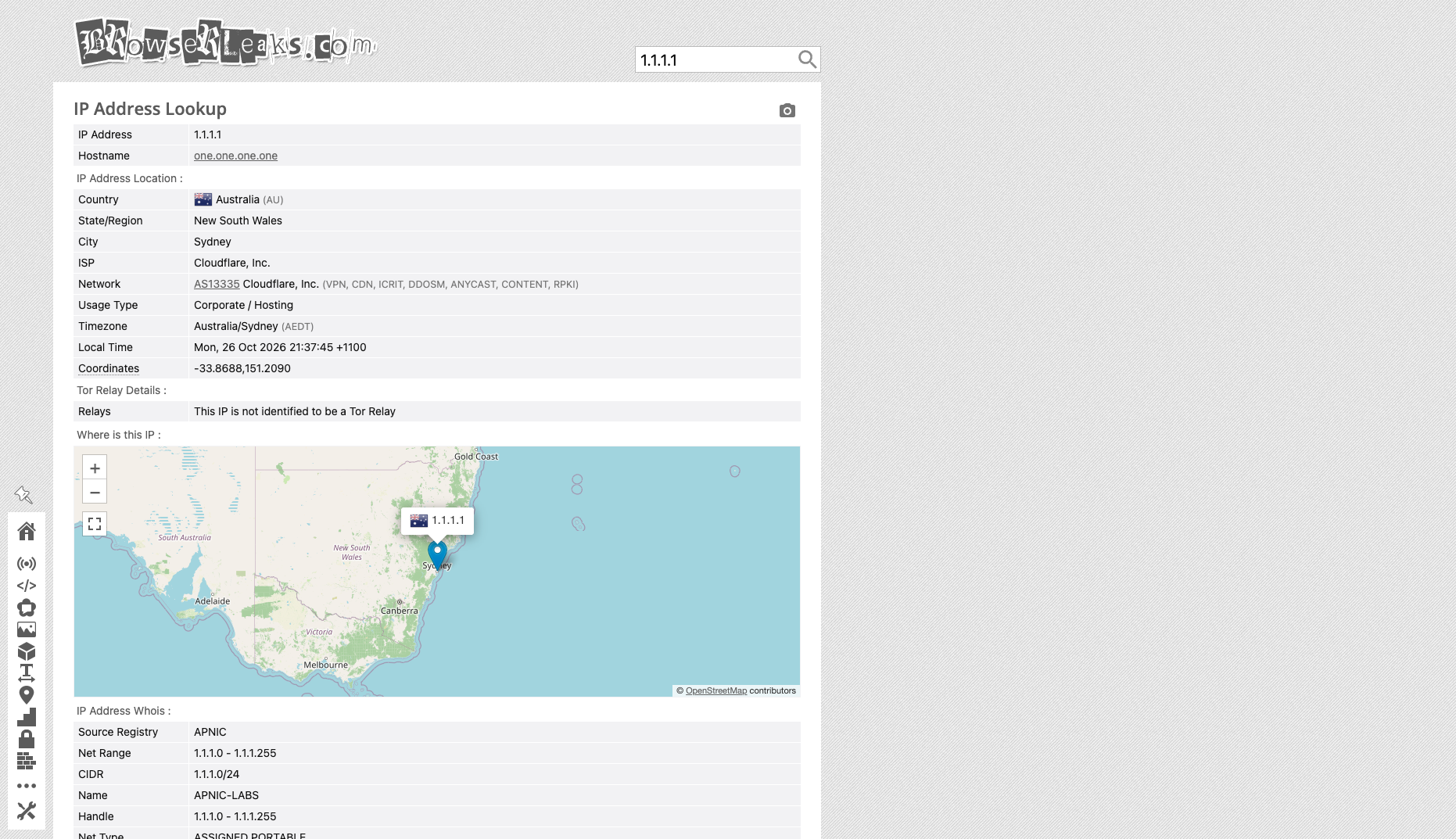
Limits: This example uses a public resolver address, not a personal IP. Database geolocation can be misleading for anycast services. Browser fingerprint reports can identify a device; the tests diagnose exposure but do not prevent tracking. The suite includes remote lookups and should not be described as entirely local.
Editorial Review & Verification
Hands-on VerifiedInspecting browser fingerprint exposure and looking up public IP network information without an account.
+ Key Strengths (Pros)
- ✓ The IP lookup returned hostname, ASN, geolocation and registry information for the public sample 1.1.1.1.
- ✓ Canvas and JavaScript reports exposed browser capabilities immediately; the camera control exported the IP report as a readable PNG.
− Limitations (Cons)
- − Detection reports describe exposure; they do not block fingerprinting or prove that a browser is anonymous.
- − IP geolocation is database-derived and may not identify the physical location of an anycast endpoint.
- − The exported PNG preserved the text tables, but some map tiles were replaced by 403 access-blocked panels.
Catalog signals & Product Power & Utility Review
The suite combines browser-side capability tests with remote IP and network lookups. The public IP lookup appeared in the /ip/1.1.1.1 URL and the report used external map tiles. BrowserLeaks states that it does not retain personal fingerprints, but this test cannot independently verify server retention. Treat fingerprint and IP reports as potentially identifying data.
Tested the IP lookup form with 1.1.1.1, inspected Canvas support and PNG headers, and opened the JavaScript capability report. The camera control downloaded a valid non-blank 950x1950 PNG (362778 bytes) without registration. Visual inspection found blocked external map tiles in the exported image.
- ✓ No local-only processing evidence is recorded in this scorecard
- ✓ Account requirements and data retention are separate properties
- ✓ See the editorial notes and provider policy for data handling
- ✓ Catalog tag: Privacy Focused
- ✓ See the hands-on review for the tested no-login workflow
- ✓ Retention and telemetry depend on the provider policy
- ✓ No source repository is recorded in the catalog
- ✓ This does not establish that the software is proprietary
- ✓ See the review for observations from the tested workflow
- ✓ Latest HTTP response time (~179ms)
- ✓ Result comes from the latest recorded health check
- ✓ An HTTP response does not verify the complete user workflow
Verification Details
The suite combines browser-side capability tests with remote IP and network lookups. The public IP lookup appeared in the /ip/1.1.1.1 URL and the report used external map tiles. BrowserLeaks states that it does not retain personal fingerprints, but this test cannot independently verify server retention. Treat fingerprint and IP reports as potentially identifying data.
Tags
Health History


FAQ
- Does BrowserLeaks require an account?
- No. BrowserLeaks has been verified by nologin.tools to provide its core functionality — Inspect browser fingerprint signals and IP information — without requiring any login or signup.
- Is BrowserLeaks free to use?
- BrowserLeaks is listed on nologin.tools as a tool you can use without creating an account. Check the tool's own site for details on pricing or premium features.
Similar Tools
Open-source browser tool that generates customizable privacy hardening scripts for Windows, macOS, and Linux. Browse 900+ organized tweaks — disable telemetry, advertising IDs, data collection services, and more — select what you want, and download a ready-to-run script. All script generation runs client-side: no account, no uploads, nothing leaves your browser.
Free browser-based tool to inspect and remove supported EXIF, GPS, XMP, IPTC and AI metadata from JPG, PNG and WebP images. Files stay local and no account is required.
Generate and validate CAA (Certificate Authority Authorization) DNS records. Pick allowed CAs, add wildcard rules and iodef violation reporting, plus a raw-record parser/validator. Runs entirely in your browser, no signup.
A free browser tool that removes GPS, EXIF, and other non-pixel metadata from JPEG, PNG, and WebP images locally on the device before sharing.
Suite of developer security tools for auditing JWTs, diffing SBOMs and lockfiles, and inspecting CI configs.