Description
The Cyber Swiss Army Knife — encode, decode, encrypt, compress, and analyze data with a drag-and-drop recipe builder.
No-Login Task
"Encode, decode, and transform data"
Tested
Encode text as Base64 and check the round trip
We built a short CyberChef recipe, saved its output, then added a decoding step to check that the original text returned.
Test input
nologin.tools
- Double-click To Base64 in Operations to add it to the recipe.
- Enter nologin.tools in Input and run Bake, or leave Auto Bake enabled.
- Use the Output save button, enter a filename, and download the text file.
- Add From Base64 after To Base64. The output should return to the original text.
Observed result
The encoded result was bm9sb2dpbi50b29scw==. The downloaded file contained exactly that string. Adding From Base64 returned nologin.tools, without an account prompt.
Download the saved Base64 output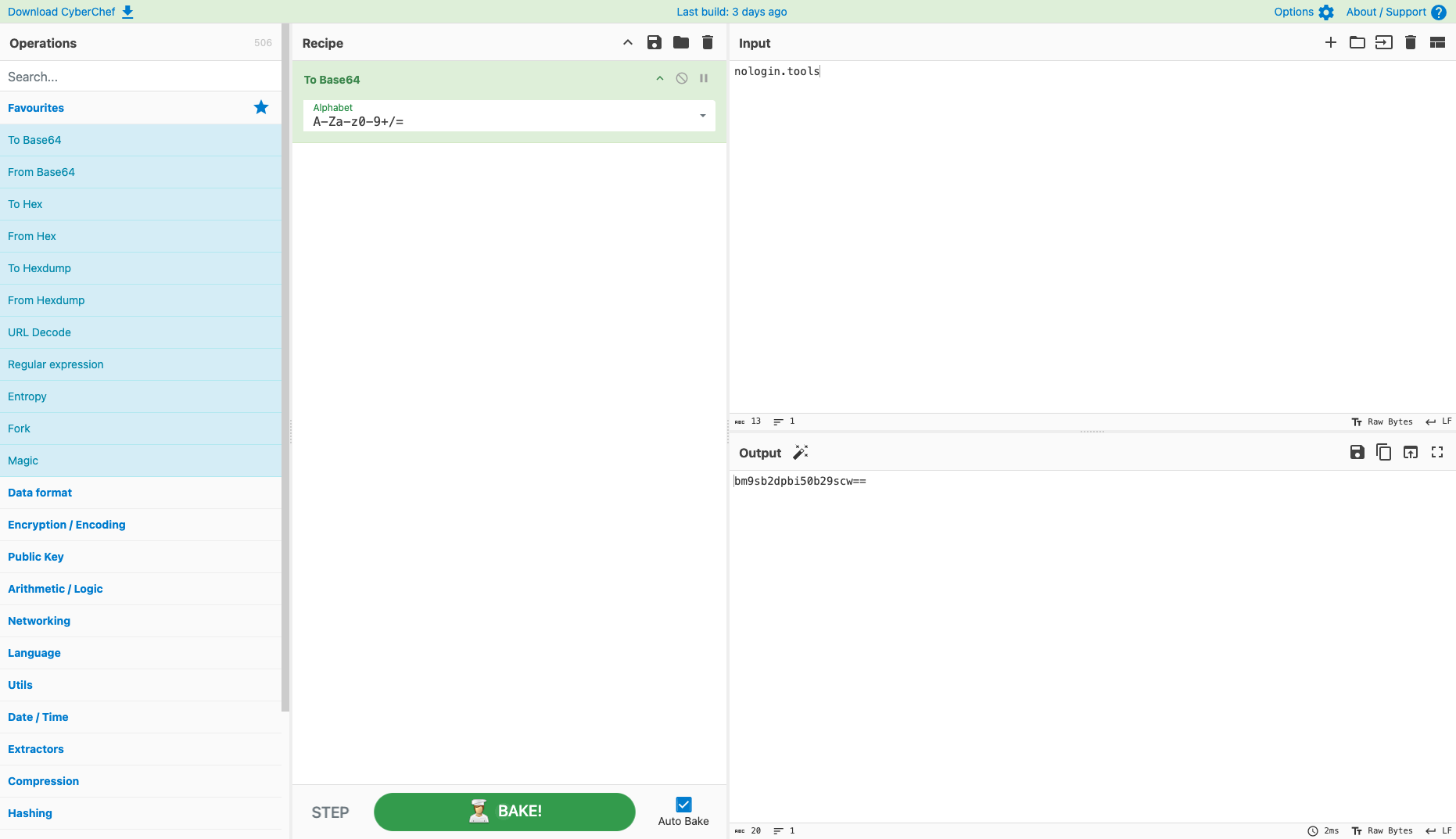
Limits: Base64 is encoding, not encryption. This small UTF-8 text test does not verify every recipe, large files, or operations that intentionally make network requests.
Editorial Review & Verification
Hands-on VerifiedSecurity researchers, developers, and analysts needing multi-step data transformation, decoding, and cryptographic analysis
+ Key Strengths (Pros)
- ✓ Over 500 modular operations covering cryptography, compression, hashing, and encoding
- ✓ Executes transformations client-side via multi-threaded Web Workers without backend transmission
- ✓ Full pipeline export to raw files, clipboard, or shareable URL state
− Limitations (Cons)
- − Initial application bundle and Web Worker loading may freeze main thread briefly on slower devices
- − Sends a Google Analytics telemetry request on page initialization
Catalog signals & Product Power & Utility Review
Observed 1 background Google Analytics telemetry POST payload during initial page load, but all culinary operations and cryptographic recipe transformations execute entirely client-side via in-browser Web Workers with zero data transmission to external servers.
Baked Base64 recipe in 6 ms Web Worker thread for 36 bytes payload, exporting clean output with zero data egress beyond 1 initial Google Analytics POST request.
- ✓ Catalog classification: client-side processing
- ✓ Processing location does not establish retention or tracking behavior
- ✓ Offline support has not been recorded
- ✓ No dedicated tracker assessment is recorded here
- ✓ No-login access does not establish anonymity
- ✓ Consult the provider policy for logs and cookies
- ✓ Publicly auditable code repository at https://github.com/gchq/CyberChef
- ✓ Repository license metadata: Apache-2.0
- ✓ 36,513 GitHub community stars
- ✓ Latest HTTP response time (~273ms)
- ✓ Result comes from the latest recorded health check
- ✓ An HTTP response does not verify the complete user workflow
Verification Details
Observed 1 background Google Analytics telemetry POST payload during initial page load, but all culinary operations and cryptographic recipe transformations execute entirely client-side via in-browser Web Workers with zero data transmission to external servers.
Tags
Health History


FAQ
- Does CyberChef require an account?
- No. CyberChef has been verified by nologin.tools to provide its core functionality — Encode, decode, and transform data — without requiring any login or signup.
- Is CyberChef free to use?
- CyberChef is listed on nologin.tools as a tool you can use without creating an account. Check the tool's own site for details on pricing or premium features.