Description
Convert between table formats: Excel, CSV, JSON, HTML, SQL, Markdown, LaTeX, and more. Edit tables visually and export in your preferred format.
No-Login Task
"Convert tables between Excel, CSV, JSON, Markdown, and more"
Tested
Convert a pasted spreadsheet table to JSON
We pasted a two-row table into TableConvert, reviewed the JSON and downloaded the result without signing in.
Test input
tool	login_required
Excalidraw	false
CyberChef	false
- Leave the data source on Excel and paste the tab-separated sample into the source box. Use a real paste action so the table is imported.
- Review the two rows in the table editor.
- Keep JSON output and Array of Object format.
- Select Download File and parse the downloaded JSON.
Observed result
The downloaded JSON contained two objects with tool and login_required keys. The values false were preserved as strings ("false"), not converted to JSON booleans.
Download the tested JSON output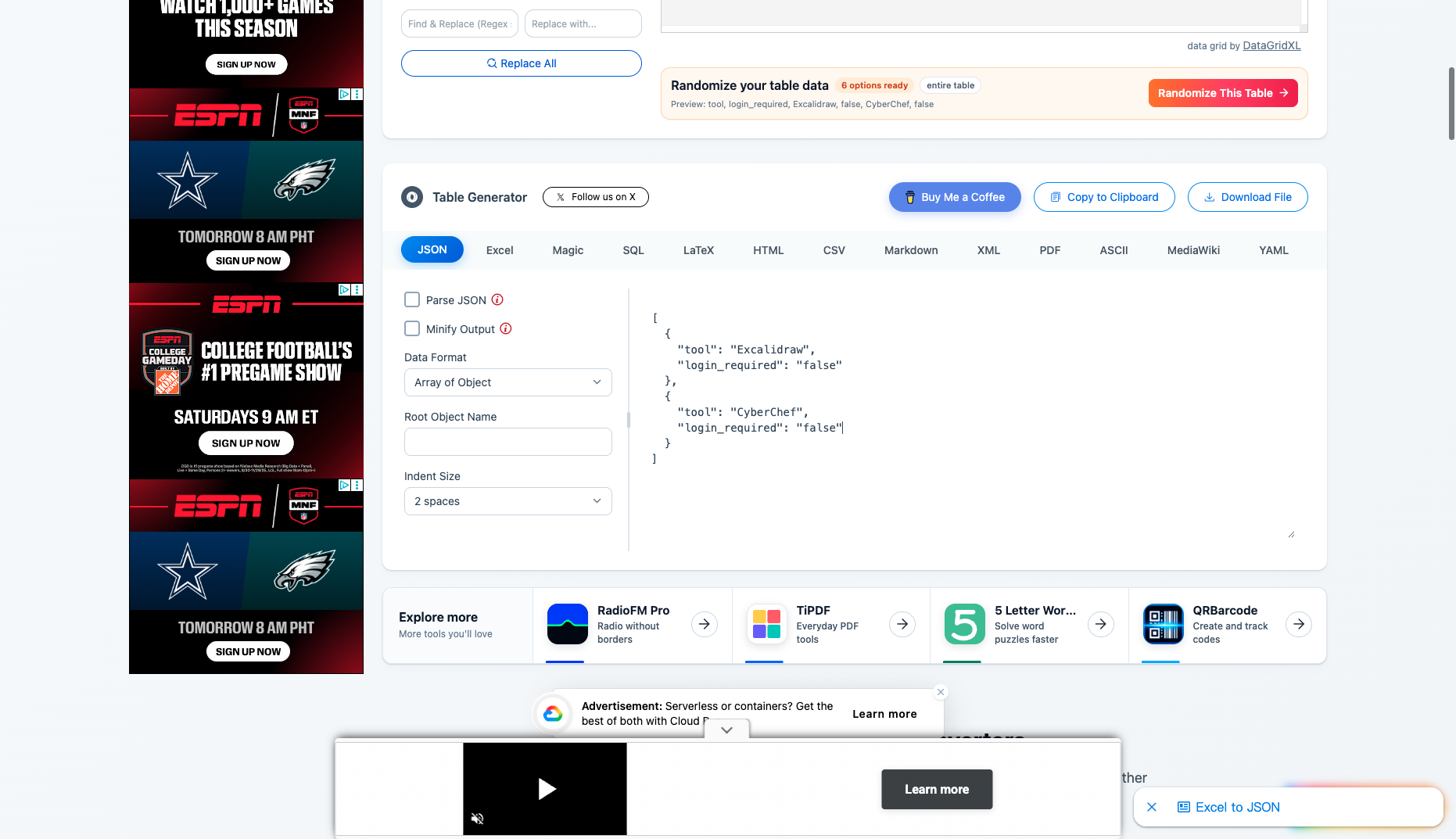
Limits: Check data types before using the output in code. We tested only this small pasted table and the default JSON settings, not file imports, APIs or large tables. Third-party ads were visible around the workspace.
Editorial Review & Verification
Hands-on VerifiedConverting tabular data across extensive formats including Excel, Markdown, SQL, LaTeX, and JSON with inline grid editing.
Data analysts, developers, and researchers wanting to explore, query, and visualize SQLite, CSV, JSON, and Parquet datasets in a complete SQL engine without installing software or leaking sensitive data to cloud servers
+ Key Strengths (Pros)
- ✓ Supports conversion across 13+ table formats including SQL, LaTeX, Markdown, YAML, and JSON
- ✓ Built-in spreadsheet editor equipped with regex find-and-replace, deduplication, and transposition
- ✓ Direct unwatermarked file downloads and clipboard copying without requiring user registration
− Limitations (Cons)
- − Dense advertising layout with floating overlays and deceptive third-party download extension banners
- − Transmits 21 ad-tech payloads across Google Syndication, DoubleClick, and CrowdControl
Catalog signals & Product Power & Utility Review
Table transformations run in local browser memory without uploading raw datasets to backend servers, though 21 ad-network and analytics tracking payloads were recorded during the session.
Tested Excel-to-JSON conversion with a 4-row tabular sample; processed in 52ms and exported a 327-byte unwatermarked JSON file directly without auth gating.
- ✓ Catalog classification: client-side processing
- ✓ Processing location does not establish retention or tracking behavior
- ✓ Offline support has not been recorded
- ✓ Catalog tag: Privacy Focused
- ✓ See the hands-on review for the tested no-login workflow
- ✓ Retention and telemetry depend on the provider policy
- ✓ No source repository is recorded in the catalog
- ✓ This does not establish that the software is proprietary
- ✓ See the review for observations from the tested workflow
- ✓ Latest HTTP response time (~288ms)
- ✓ Result comes from the latest recorded health check
- ✓ An HTTP response does not verify the complete user workflow
Verification Details
Table transformations run in local browser memory without uploading raw datasets to backend servers, though 21 ad-network and analytics tracking payloads were recorded during the session.
Tags
Health History


FAQ
- Does TableConvert require an account?
- No. TableConvert has been verified by nologin.tools to provide its core functionality — Convert tables between Excel, CSV, JSON, Markdown, and more — without requiring any login or signup.
- Is TableConvert free to use?
- TableConvert is listed on nologin.tools as a tool you can use without creating an account. Check the tool's own site for details on pricing or premium features.
Similar Tools
Datasette running entirely in your browser via WebAssembly (Pyodide). Upload SQLite databases or CSV files and explore them with a full SQL interface — no server, no account, and your data never leaves your device. Built on the popular Datasette data exploration framework by Simon Willison.
Browser-based Apple Health export.xml and export.zip converter that summarizes metrics and exports clean Excel (.xlsx) spreadsheets without uploading data.
Visualize JSON data into interactive graphs. Seamlessly explore complex JSON structures with a tree-like graph view, search, and filter capabilities.